Minga
- 3.2
- Rating
- 100.00K
- Installs
- Free
- Price

 Analysis by App-foxy
Choosing a campus app is less about finding the longest feature list and more about deciding where daily school communication should live. I approached Minga with that in mind: could it make campus life feel more connected without turning into another noisy app that students ignore? My answer is cautiously positive. It has a clear education-focused purpose, it is free to use, and its all-in-one approach can be useful when a school wants one shared place for communication, participation, and a stronger sense of belonging.
That convenience comes with an important condition: the experience depends heavily on how actively a school organizes and uses it. Minga is not the kind of app that becomes valuable simply because it is installed. It works best when students, families, teachers, and administrators understand what belongs there and check it regularly. If your campus already has a consistent routine around the app, it can reduce scattered updates. If not, it may feel like one more channel competing with email, classroom tools, messaging groups, and paper notices.
How I would decide whether Minga fits a campus
The first question I would ask is not whether Minga has an attractive interface. I would ask what problem the school is trying to solve. A campus that struggles with disconnected announcements, weak student engagement, or unclear community communication may benefit from a central education app. A school that only needs assignment delivery, video lessons, or direct parent-teacher messaging may find a narrower tool easier to understand.
You May Also Like

 Blood Strike: 2.5 Anniversary
Blood Strike’s Loadouts Turn Every Drop Into a Tactical Gamble
A close look at Blood Strike’s custom loadouts: how fast access to signature weapons reshapes its battle royale rhythm, rewards preparation, and narrows the gap between fights.

 Pandora - Music & Podcasts
Pandora’s Music Is Easy to Start, but Harder to Recover
Pandora’s strength is its low-effort path from a seed to a station. Its weak spot is how much confidence it asks you to place in connection, setup, and quiet recovery.

 8 Ball Pool
 Is Built on Rivalries, Rematches, and Routine
A close look at the rivalries, rematches, shared routines, and unanswered safety questions that turn a quick pool match into a persistent mobile community.

 Samsung Music
’s Quiet Strength Is Playing What You Already Own
Its reach comes less from spectacle than from dependable access to a personal library. That simplicity is both the app’s strongest retention engine and its ceiling.

 AccuWeather: Weather Radar
AccuWeather Review: A Quick, Clear Forecast for Everyday Decisions
For everyday plans, the best forecast is the one you can understand quickly. AccuWeather makes rain timing, radar, and local conditions easy to act on, with a few trade-offs.

 Hill Climb Racing
Why Hill Climb Racing Still Turns Crashes Into One More Run
A tiny car, a bumpy hill and one more upgrade: Hill Climb Racing keeps resurfacing because its simple chaos makes every near-miss feel personal.
More From Our News Desk



Minga is listed in the Education category and is developed by Minga Solutions Inc. It is free, carries an Everyone age rating, and supports devices running Android 8.0 or later. Those details make it relatively approachable for a broad school community, although the practical experience still depends on whether the devices used by students and families meet that minimum requirement.
I also look at the maturity and adoption of an app before recommending it for a community-wide change. Minga was released on September 26, 2018, and its current version is 7.22.1. On Google Play, it has an average rating of 3.2 from around 1,100 ratings, with more than 400 written reviews and over 100,000 installs. Those figures suggest a real user base, but they also tell me not to treat the app as universally loved. The rating is a reason to test the workflow with a small group before asking an entire campus to depend on it.
For me, the most important decision criteria are clarity, consistency, and audience. Can a student tell quickly what requires attention? Can a teacher use it without duplicating every message elsewhere? Can a parent understand why the app matters? And can administrators establish simple rules so that important information is not buried under less urgent activity?
A realistic school-day workflow
Imagine a student arriving at school after a schedule change, a club reminder, and a notice about a campus activity. In a fragmented setup, those details might appear in separate email threads, a learning platform, a hallway poster, and a messaging service. The student has to remember where each type of information normally appears. Minga is more appealing when the school uses it as a recognizable starting point for those community-oriented updates.
In that situation, I would use it first thing in the morning to check campus information, then return to it around lunch or before leaving for reminders connected with school life. I would not expect it to replace every academic system. Assignments, grades, formal documents, and classroom work may still belong in the tools already chosen for those purposes. The useful distinction is that Minga can serve as the campus connection layer rather than pretending to be the entire digital school.
That distinction is one of the less obvious strengths of the app. Schools often try to force one platform to handle instruction, administration, social engagement, and urgent communication at once. A campus-focused app can be more understandable when its role is defined carefully. The trade-off is that users need to know which app is responsible for which task. Without that explanation, “all in one place” can become “another place to check.”
Where Minga feels most useful
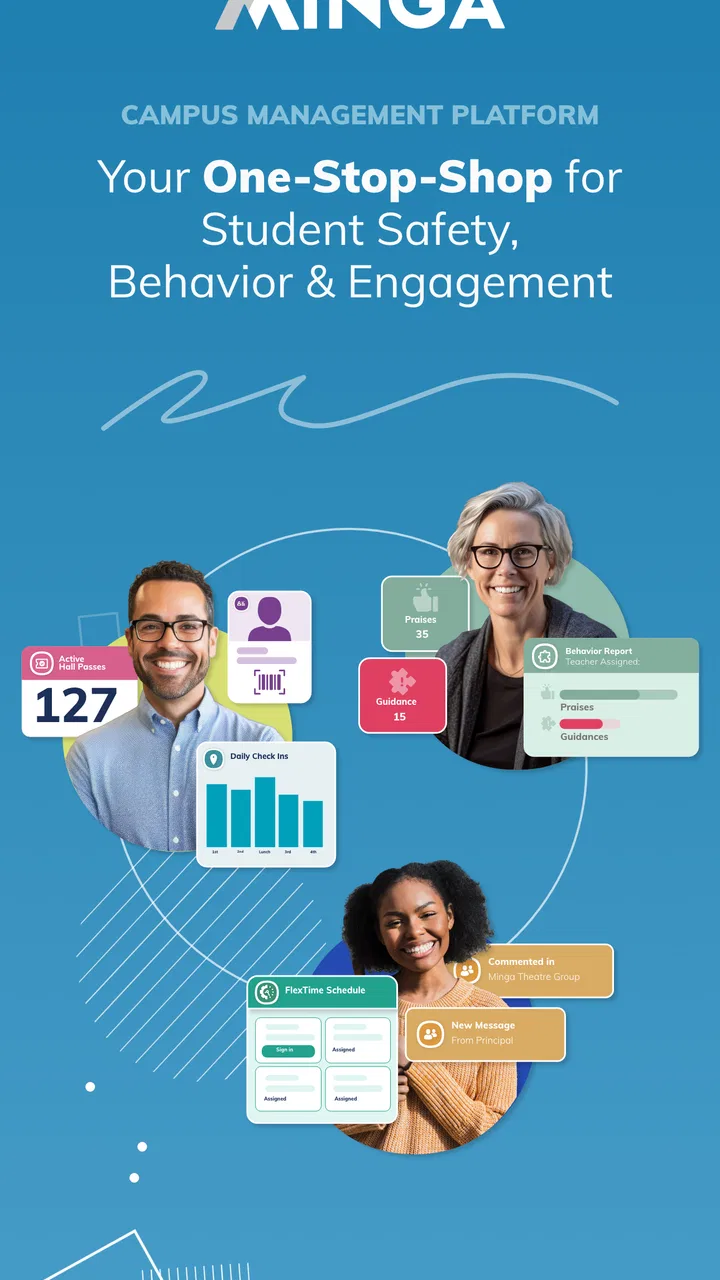
The strongest case for Minga is a school that wants to build a shared campus rhythm. Its purpose is broader than sending isolated notices. The store summary presents it as a way to create a safe, connected, and engaged campus, and that emphasis matters. I would consider it for schools trying to improve participation in activities, make community information easier to find, or give students a more visible connection to what is happening around them.
It may be especially useful when communication needs to reach more than one group at once. A campus announcement can matter to students, families, staff, and administrators for different reasons. A central app can reduce the temptation to send the same message through several unrelated channels. That does not automatically eliminate duplication, but it gives the school a clearer place to begin.
Another practical advantage is discoverability. Students do not always know which office, teacher, or page contains a particular campus update. When community information is organized within a familiar school app, the burden shifts from remembering multiple destinations to building one dependable habit. That habit takes time, but it can be easier to teach than a collection of separate routines.
I also see value for students who are not naturally drawn into campus life. A student may not ask a teacher about an activity, visit a noticeboard, or open a long email. A mobile-first campus channel can make those opportunities more visible. It will not solve disengagement by itself, but it can lower the effort required to discover what is available.
Three ways to get more from it than a basic install
My first recommendation is to treat Minga as a source of structured habits, not an emergency inbox. Schools should decide which information belongs there before launch. If every minor update is posted with the same urgency, students will learn to skim everything. A better approach is to reserve the app for campus-level information, participation opportunities, and messages that benefit from being visible to the broader community.
Second, I would create a simple “where should I look?” guide for students and families. It could explain which matters belong in Minga and which remain in the school’s learning or administrative systems. This is a small step, but it addresses one of the most common causes of app fatigue: users are not sure whether missing an update will affect their work, attendance, or activities.
Third, I would test the app with a representative group before a full rollout. Include a student who rarely checks school apps, a parent who prefers email, a teacher with limited time, and an administrator responsible for urgent communication. Ask each person to complete ordinary tasks rather than simply browse. The goal is to find friction in the real workflow: locating a notice, understanding its importance, returning to it later, and knowing what action is expected.
These steps are more important than asking whether the app looks modern. A campus platform succeeds through shared behavior. The best interface cannot compensate for unclear posting rules, overlapping channels, or messages that lack context.
Where the usual alternatives may fit better
Minga is not automatically the best choice for every educational need. If your main priority is coursework, a learning management system is usually the more natural fit because students already associate it with assignments, submissions, and class materials. If the main need is one-to-one family communication, a dedicated messaging or school information system may feel more direct. If the school mainly publishes static announcements, a website and email newsletter may create less change for users.
The comparison is therefore about category and purpose, not a contest over which app has the most tools. Minga makes more sense when the goal includes campus connection and engagement. A classroom platform makes more sense when the goal is academic workflow. A messaging service makes more sense when speed and direct conversation matter most. Trying to make Minga replace all of those categories could create confusion rather than simplicity.
I would also be careful with schools that already have a functioning communication system. Switching only makes sense if Minga solves a visible problem: information is being missed, campus activities are hard to discover, or different groups are operating in isolation. If the existing arrangement is clear and well adopted, introducing another app may not improve anything. The app needs a defined job, not just a place in the technology plan.
Students who dislike checking multiple platforms should pay attention to this point. Even though Minga is designed as a connected campus space, it may still sit alongside other tools. The experience will feel streamlined only if the school removes unnecessary duplication. Otherwise, the user may gain another notification stream without losing the old ones.
The real cost of switching
Because Minga is free, the main cost is not a subscription fee. It is the effort required to change habits. Administrators need to establish ownership, teachers need to understand what they are expected to post, and students and families need a reason to return. That transition can be easy to underestimate because downloading an app takes only a moment, while building trust in a new communication routine takes much longer.
I would plan the change around a limited, visible purpose. For example, a school could begin with campus announcements and engagement-related updates rather than moving every communication process at once. This gives users a reason to open the app and gives staff a chance to learn what works. Expanding later is safer than launching with a promise that Minga will replace every existing system immediately.
There is also a maintenance cost. A central app only remains useful when old information is managed, messages are written clearly, and urgent notices are distinguishable from routine ones. If the stream becomes cluttered, users may stop checking it. That weakness is not unique to Minga, but an all-in-one campus tool makes editorial discipline especially important because many types of information may meet in the same place.
For families, the switching cost is mostly attention. They may already receive school email, calendar updates, classroom notices, and activity messages. Before adopting Minga, I would want the school to explain what will move into it and what will not. I would also want a short onboarding process that shows how to recognize a relevant update instead of assuming that every user will explore the app independently.
For students, the best introduction would connect the app to something immediately useful. A campus activity, a schedule-related notice, or a community update gives a stronger reason to return than a generic instruction to install it. Once the habit exists, the app has a better chance of becoming part of ordinary school life rather than a forgotten download.
Who should use it, and who should skip it?
I would recommend Minga to schools that want a dedicated campus communication and engagement space, especially when their current information is scattered across too many places. It is a reasonable option for administrators who are willing to define clear usage rules and for communities that want students to see more than just academic tasks.
I would also consider it for families who want a more direct view of campus life, provided the school actively maintains the channel. The app’s Everyone rating and free price remove two common barriers, but they do not guarantee that the information will be useful. The quality of the local implementation matters more than the download itself.
I would skip it, or at least delay adoption, if the school cannot commit to regular organization. I would also hesitate if the only problem is assignment management, since a classroom-focused platform may be more suitable. Finally, I would not recommend switching simply because an app promises to bring everything together. Consolidation is helpful only when it reduces uncertainty for the people using it.
Users should also check device compatibility before planning a rollout. Minga requires Android 8.0 or later, so older phones may need attention before a school assumes universal access. That is a practical detail worth addressing early, particularly in communities where students use a wide range of devices.
My recommendation after weighing the trade-offs
My overall view is that Minga is a focused education app with a worthwhile idea, but it is not a magic solution for campus communication. Its best quality is the attempt to give school communities a shared digital space rather than treating students as isolated users of separate academic tools. When a school gives the app a clear role, uses consistent posting habits, and connects it to real campus activity, I can see it becoming genuinely useful.
The average rating of 3.2 means I would approach it with realistic expectations rather than assuming every user will have a smooth experience. I would pilot it, gather feedback from different groups, and make sure the school is prepared to keep the channel organized. That approach also makes it easier to compare Minga fairly with the alternatives already in use.
For an individual student, the decision is simple: install it if your school relies on it for meaningful campus information and participation. For a school leader, the decision is more demanding: choose it only if you are ready to define what belongs there and remove unnecessary overlap elsewhere. In my experience, that is the difference between a campus app that becomes part of daily life and one that quietly joins a crowded folder of unused downloads.
My recommendation is a qualified yes for connected-campus goals, not a blanket replacement for every school platform. Minga is worth trying when engagement, community visibility, and centralized campus communication are the priorities. If your need is narrowly academic or purely conversational, another category of tool may fit better. Used for the job it is designed to do, however, it offers a practical way to make campus information easier to notice and easier to share.
With more than 100,000 installs and a current version of 7.22.1, it is established enough to deserve a serious trial, while its 3.2 average rating is a reminder to test the experience in your own school rather than relying on expectations. I would download Minga when the campus has a clear plan for it, involve real users before expanding, and judge success by whether people miss fewer important updates and feel more connected to daily school life.
FAQs for Minga
01What is Minga and what can I use it for?
Minga is a digital platform designed to help users manage and participate in organized communities, groups, or shared activities, depending on the features available in their region or organization. Before downloading, check which services your school, workplace, club, or community uses, since access may require an invitation, registration code, or account created by an administrator. Its usefulness depends largely on whether your organization is already connected to Minga.
02Is Minga free to download and use?
The Minga app may be free to download, but some functions can depend on the organization providing access or on a particular subscription and service arrangement. In many cases, users do not pay directly because the school, company, or community manages the account. It is still worth reviewing the app-store listing and your organization’s instructions for possible charges, optional purchases, or limitations on certain features.
03What information is required to create a Minga account?
Registration requirements can vary according to how Minga is configured by the organization you are joining. You may need an email address, phone number, invitation, access code, or administrator approval. Some accounts may also be connected to an existing school or workplace identity. Use accurate information and review the privacy policy before signing up, especially if the account is being created for a child or student.
04Does Minga work on both Android and iPhone?
Minga is intended for mobile users, but availability and supported features can differ between Android and iOS versions. Before installing, verify that your device meets the operating-system requirements shown in the relevant app store. Keeping the app and your phone updated can improve reliability, notifications, and compatibility. If your organization depends on Minga for important messages, also confirm whether a web version or alternative contact method is available.
05Are notifications and personal data handled securely in Minga?
Minga may handle account details, contact information, messages, activity data, or other information required to provide its community services. The exact data collected depends on the features enabled by your organization and your device permissions. Review the app’s privacy policy, notification settings, and permission requests before continuing. Avoid sharing sensitive information in group areas, and contact your administrator if you notice unexpected access or communication.
Pros
- Simple interface makes daily transit planning easy.
- Supports quick access to routes
- stops
- and travel information.
- Useful for checking public transport details while on the go.
- Can reduce uncertainty when planning unfamiliar journeys.
- Convenient digital alternative to printed transit schedules.
Cons
- Coverage and accuracy depend on the supported transport network.
- Some features may require an internet connection.
- Transit updates can occasionally lag behind real-world changes.
- The app may be less useful outside its supported service area.
- Battery and data usage may increase with frequent location features.

Minga
Gallery